
HKUST ITSO AI Chatbot

Important reminder

Please do not disclose personal data such as your HKUST account number, staff/student ID or name in the chatbot. Information provided will be retained to enhance system performance.

By using the HKUST ITSO Chat service, you confirm that you have read, understood, and agreed to the Disclaimer


Log in to access additional information for your user group in addition to the publicly accessible content.

Send Icon
How to solve Microsoft Teams from Hanging (Huawei Mobile Phone)

Problem: When open the Microsoft Teams, it is always displaying "Hang on while we get things ready for you"
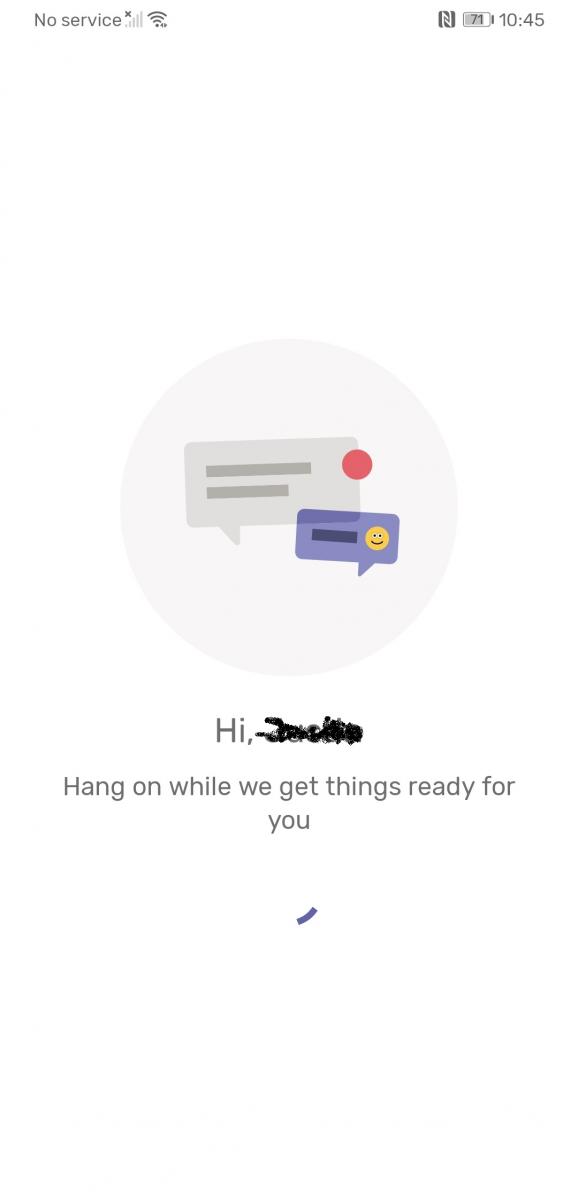
Solution: Clear the App Database

- Go to "Settings" and Choose "Apps"
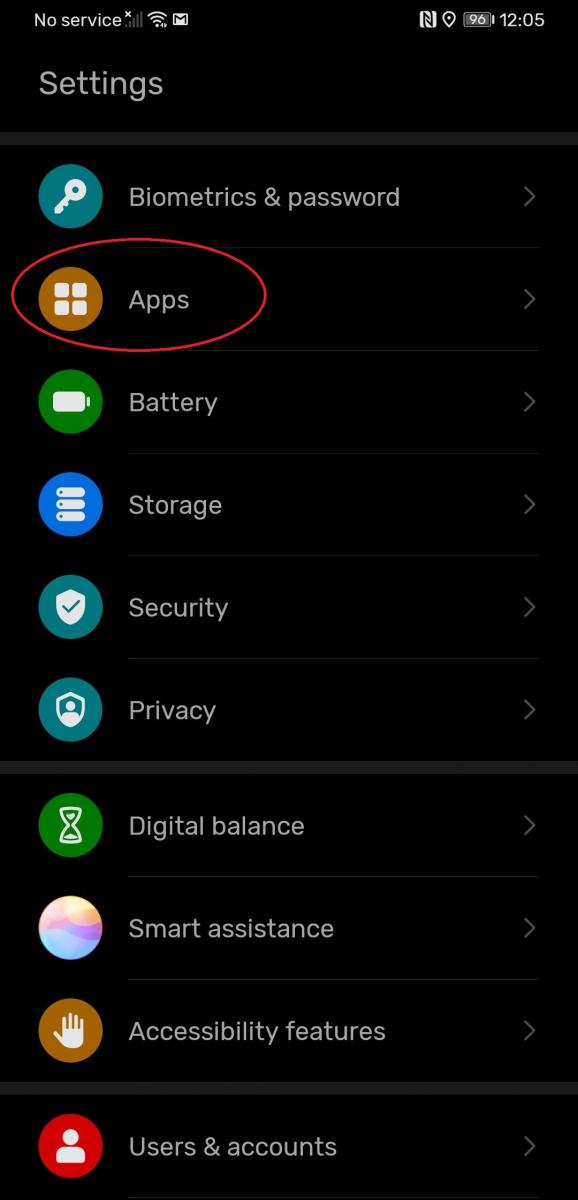
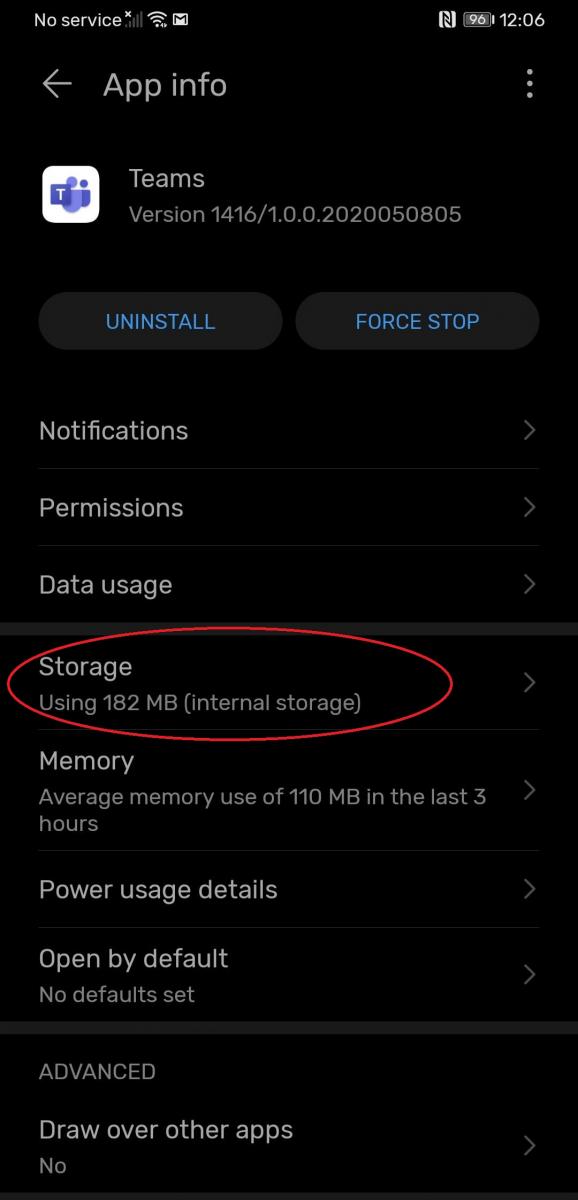
- Click "Apps" button again and Find the "Teams" app and click "Teams"

- Click "Storage" to go to advance setting
- Click "Clear Cache" and "Clear Data"
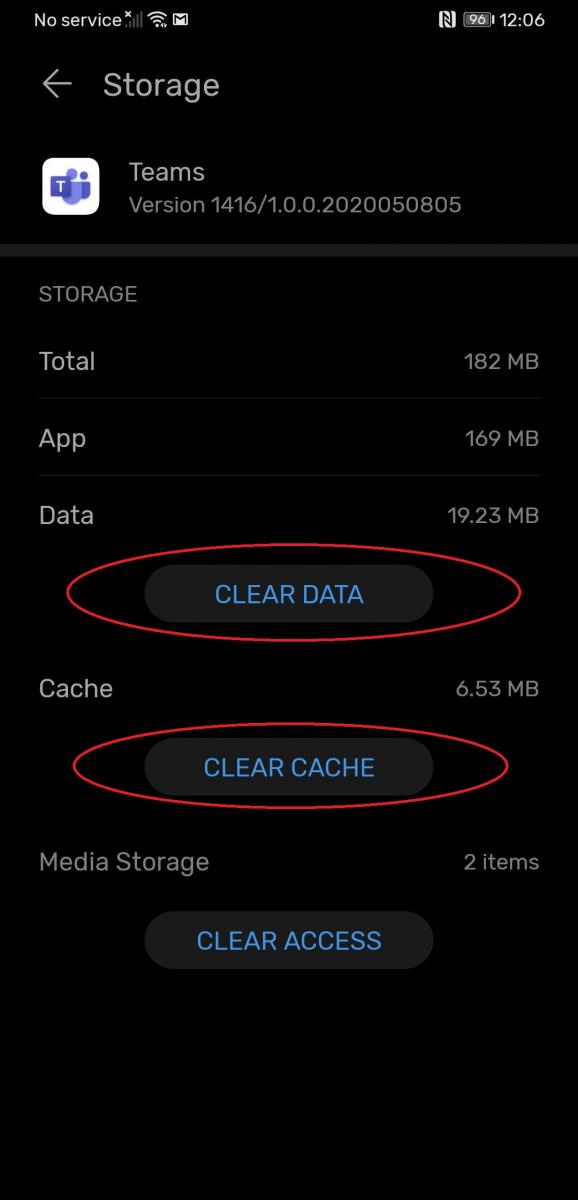
- Relaunch the Microsoft Teams App and Login again, the problem should be solved


Support

General Enquiries cchelp@ust.hk
Suggestions & Complaints cclisten@ust.hk
Serviceline +852-2358-6200